

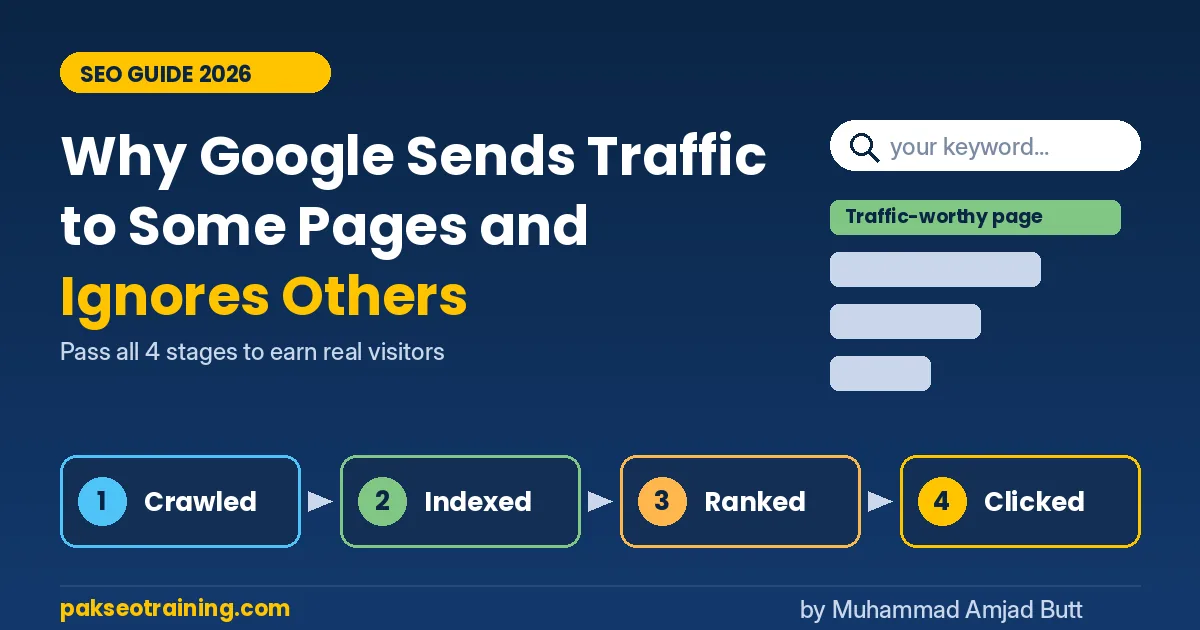
Google sends traffic to pages that are indexed, match the real intent behind a search, and give a more useful answer than the other pages competing for that query. Pages get ignored when Google does not index them, when they repeat what already ranks, or when an AI Overview answers the question without a click. Today, a page earns traffic when it is useful enough to win the click or the citation.
Written by Muhammad Amjad Butt — SEO specialist with 21 years of experience, founder of PB Outreach and head of Pak SEO Training. He has trained 500+ students and, with his team, completed 1,000+ guest posting projects for clients.
Last updated: October 31, 2026
In this article
- What Is a Traffic-Worthy Page?
- Why Does Google Ignore Some Pages Completely?
- Is Your Page Even Indexed?
- How Does Search Intent Decide Who Gets Traffic?
- What Does Google Mean by Helpful Content?
- Why Do Ranked Pages Still Get Fewer Clicks?
- How Did the 2026 Google Updates Change Traffic?
- Which Technical Signals Still Matter?
- How Can You Win the Click After Ranking?
- Example: Two Pages, One Keyword
- FAQ
- Start Making Your Pages Traffic-Worthy Now
Every website owner has seen this: one page gets hundreds of visitors from Google every day, while another page on the same site, written with the same effort, gets almost nothing. Understanding what makes a traffic-worthy page is now one of the most important skills in SEO, because Google has become very selective about which pages it indexes, ranks, and sends visitors to.
The good news is that Google's choices are not random. There are clear reasons why Google sends traffic to some pages and ignores others, and almost all of them can be fixed. This guide explains each reason in simple words, with current data and a practical checklist you can use this week.
What Is a Traffic-Worthy Page?
A traffic-worthy page passes four tests in order. If it fails any one test, traffic stops at that point.
- Crawled: Googlebot can find and read the page.
- Indexed: Google decides the page is worth storing in its index.
- Ranked: Google places the page in a visible position for real searches.
- Clicked: Searchers choose your result over AI answers, ads, and competitors.
Ranking is not traffic. A page only earns visitors when it wins all four stages.
Most website owners focus only on stage three (ranking). Many pages actually lose at stage two (they are never indexed) or stage four (they rank but nobody clicks).
Why Does Google Ignore Some Pages Completely?
Google ignores a page when it adds nothing new to its index. Google already has billions of pages, so it does not need another page that repeats the same ten tips found in the top results. The most common reasons a page gets ignored are:
- Duplicate or near-duplicate content: the page says what other pages, or other pages on your own site, already say.
- Thin content: a 300-word answer to a question that needs a full guide.
- Wrong intent: a sales page targeting a keyword where people want to learn, or the opposite.
- Weak internal links: an "orphan" page that no other page on the site links to, so Google sees it as unimportant.
- Low site-wide quality: many weak pages on a site can affect how Google judges the whole site.
- Keyword cannibalization: two or more of your pages target the same keyword, so Google often shows only one and the others struggle.
Key insight: Google does not ask "Is this page good?" It asks "Is this page better or different than what I already show?" A correct page that adds nothing new can still be ignored.
Is Your Page Even Indexed?
Before you worry about rankings, check whether Google has indexed the page. Open Google Search Console, paste the page URL into the URL Inspection tool, and look at the status.
Two statuses in the Page indexing report tell you the most:
- Discovered – currently not indexed: Google knows the URL exists but has not crawled it yet. This often points to weak internal links or a site Google does not crawl often.
- Crawled – currently not indexed: Google read the page and decided not to store it. This is usually a quality or uniqueness problem, not a technical one.
If many of your pages show "Crawled – currently not indexed," do not keep pressing "Request Indexing." Improve the content first, add internal links from your strongest pages, and then request indexing once. A practical rule of thumb: if a page stays in this status for about a month, treat it as a content problem and upgrade the page rather than sending more indexing requests.
How Does Search Intent Decide Who Gets Traffic?
Search intent means the real goal behind a search. Google studies which results satisfy people for each query and rewards pages that match that goal. There are four main types:
- Informational: the person wants to learn ("what is a backlink").
- Navigational: the person wants a specific site ("Google Search Console login").
- Commercial: the person is comparing options ("best SEO course in Pakistan").
- Transactional: the person is ready to act ("buy guest post backlinks").
The fastest way to check intent is to search your keyword and study the top 10 results. If 8 out of 10 are step-by-step guides, a product page will struggle to rank there. If most results are lists, a long essay will struggle. Match the format Google already rewards, then make your version clearly more useful.
Google does not rank the best page in general. It ranks the best page for that searcher's goal.
What Does Google Mean by Helpful Content?
Google's official guidance asks site owners to create helpful, reliable, people-first content. In March 2024, Google folded its separate helpful content system into its core ranking systems, so helpfulness is now judged all the time, not only during special updates.
Google suggests asking three simple questions about every page, often called "Who, How, and Why":
- Who created the content? Is the author clear, with real experience?
- How was it created? Was it tested, researched, or based on real work?
- Why was it created? To help people, or only to attract search traffic?
In simple words, a helpful page shows E-E-A-T: Experience, Expertise, Authoritativeness, and Trustworthiness. E-E-A-T is not one ranking score. It describes what Google's systems try to reward. Practical ways to show it:
- Add an author box with the writer's real background and years of experience.
- Include original screenshots, test results, or examples from your own work.
- Add specific numbers, dates, and steps instead of general advice.
- Update the page when facts change, and show the "last updated" date.
- Link to original sources when you mention rules or data.
Why Do Ranked Pages Still Get Fewer Clicks?
This is the biggest change in search right now. A page can rank on page one and still get very little traffic because Google answers many searches directly on the results page.
- SparkToro's study of U.S. Google searches from January to April 2026 found that about 68% of searches ended without a click. One caution: the 2024 comparison used a different data panel (Datos) than 2026 (Similarweb), so part of the jump comes from the change in measurement.
- Ahrefs analyzed 300,000 keywords and found that the top-ranking page had about 58% lower click-through rate when an AI Overview was present, up from 34.5% in its April 2025 study. Pages in position 2 lost about half their clicks, and even position 10 lost nearly 20%.
- There is some good news: Seer Interactive found organic CTR on AI Overview searches rose from 1.3% in December 2025 to 2.4% in February 2026.
Click-through rate (CTR) is the percentage of people who click your result after seeing it. If your page is shown 1,000 times and gets 30 clicks, your CTR is 3%.
What this means for you: quick-answer pages ("what is X", "how many Y") lose the most traffic. Pages that offer depth, tools, comparisons, local information, or personal experience still win clicks, because an AI summary cannot replace them. Branded, local, and transactional searches are also less affected than simple informational searches.
Key insight: There are now two ways to win: get the click, or get cited inside the AI Overview. A clear 2 to 3 sentence answer at the top of your page makes it easier for AI systems to quote you. Want to test your article? Use our free AI Answer Readiness Checker.
Warning: Earn AI citations with genuinely useful content, not tricks. Google's spam policies now also cover attempts to manipulate generative AI responses in Google Search.
How Did the 2026 Google Updates Change Traffic?
A core update is a broad change to Google's main ranking systems. It is not a penalty. Google reassesses quality across the web, so some pages move up and others move down. A spam update is different: it targets pages that break Google's spam policies. 2026 has been an unusually busy year:
Update
Dates
Notes
February 2026 Discover core update
Feb 5 – Feb 27
First core update labeled Discover-only
March 2026 spam update
Mar 24 – Mar 25
Finished in under a day
March 2026 core update
Mar 27 – Apr 8
First broad core update of the year, 12 days
May 2026 core update
May 21 – Jun 2
About 12 days, widely seen as more volatile
June 2026 spam update
Jun 24 – Jun 26
About two days
August 2026 spam update
Aug 18 – Aug 21
Under three days
September 2026 spam update
Sep 24 – Oct 8
Longest spam update of the year, about two weeks
Google's core update documentation recommends waiting at least one full week after an update finishes before judging the impact in Search Console. Compare that week with the week before the rollout started, not with a single bad day.
A traffic drop after a core update is not a punishment. It means another page now looks more useful.
The pattern across 2026 is consistent: templated, mass-produced, and syndicated pages lost ground, while pages with original insight and clear expertise held or gained. After a core update drop, focus on lasting improvements. Some recovery can show up between updates as Google reprocesses your pages, but larger recoveries often appear with a later core update.
Which Technical Signals Still Matter?
Technical SEO will not make a weak page rank, but technical problems can stop a strong page from being seen. Check these basics:
- Core Web Vitals: aim for Largest Contentful Paint (LCP) under 2.5 seconds, Interaction to Next Paint (INP) under 200 milliseconds, and Cumulative Layout Shift (CLS) under 0.1.
- Mobile friendliness: Google uses mobile-first indexing, so the mobile version of your page is the one that counts.
- Indexable status: no accidental "noindex" tag, no blocked URL in robots.txt, and a correct canonical tag.
- Clean internal linking: every important page should receive links from related pages on your site. A simple target is at least 3 relevant internal links.
- Structured data: Article schema helps Google understand your content. Note that since 2023, Google shows FAQ rich results only for well-known government and health sites, so do not expect FAQ schema to create rich results for a normal blog.
- Image size: keep images light (under 100 KB where possible) so pages load fast.
How Can You Win the Click After Ranking?
Once your page ranks, the title and description decide whether people click. Improving them can raise traffic noticeably without moving a single position.
- Write titles that promise a result: "Fix Crawled – Not Indexed in 5 Steps" beats "Indexing Issues Explained."
- Add the year for fresh topics: it signals the page is current.
- Use numbers: specific counts and timeframes attract clicks.
- Write a meta description that answers "why click": mention what the page has that an AI summary does not, such as a checklist, a tool, or real examples.
- Target positions 8 to 20 first: in Search Console, filter queries with average position 8 to 20 and high impressions. These pages are close to page-one traffic and often need only small improvements.
Quick win this week: Open Search Console, go to Performance, sort pages by impressions, and find 5 pages with more than 1,000 impressions but CTR under 1%. Rewrite only their titles and meta descriptions. Check the results again after 14 days.
Example: Two Pages, One Keyword
Here is a simple illustration of two websites targeting the keyword "how to get backlinks for a new website."
Page A has 900 words, lists 10 general tips found on every other site, has no author name, no examples, and no internal links. Google crawls it but marks it "Crawled – currently not indexed." Traffic: zero.
Page B has 2,200 words, written by an SEO specialist with years of real link-building work. It shows a 90-day plan, real outreach email examples, a table of response rates from actual campaigns, and links to five related guides on the same site. It ranks in the top 5 and gets cited in the AI Overview. Traffic: steady daily visitors, plus brand mentions in AI answers.
Both pages target the same keyword. The difference is that Page B gives Google something it cannot find anywhere else: real experience, specific data, and a clear structure. Strong, relevant backlinks then help a page like this compete; see our link building services if your pages need more authority.
FAQ
Why does Google index my page but not send traffic?
Your page is likely ranking too low (beyond position 20), targeting the wrong intent, or losing clicks to AI Overviews and stronger titles. Check average position and CTR in Search Console to find which one.
How long does it take for a new page to get Google traffic?
Indexing can take a few days to several weeks. On established sites, many new pages settle into stable rankings within a few months. New websites usually take longer.
Does word count decide rankings?
No. Google does not reward length by itself. Longer pages often rank better only because they cover the topic more completely. A short page that fully answers a simple question can rank well.
Can AI-written content get Google traffic?
Google judges content quality, not how it was made. However, AI content that only repeats existing pages adds nothing new and is likely to be ignored. Mass-producing pages to manipulate rankings can also break Google's spam policies. Add real experience, data, and careful editing.
What should I do if my traffic dropped after a core update?
Wait one full week after the update finishes, compare data carefully, find which pages lost the most, and improve their usefulness. Do not delete pages in a panic or make random changes.
Start Making Your Pages Traffic-Worthy Now
Google sends traffic to pages that are indexed, match intent, add something new, and win the click. Use this checklist on your most important pages:
- Check every key page in the URL Inspection tool and fix any page that is not indexed.
- Search your main keyword and match the format of the top 10 results.
- Add one thing competitors do not have: original data, a tool, real examples, or personal experience.
- Add an author box and a "last updated" date to show E-E-A-T.
- Give every important page relevant internal links from related articles.
- Start each article with a 2 to 3 sentence direct answer so AI Overviews can cite it.
- Rewrite titles and meta descriptions for pages with high impressions and low CTR.
- Check Core Web Vitals and fix any page with LCP slower than 2.5 seconds.
- After any core update, wait one full week before analyzing changes.
- Review your top 20 pages every 3 months and update outdated facts.
Have a specific question about your traffic? Ask it on our Ask an SEO Question page. You can also learn SEO on the go with the Pak SEO Training app.
Pick one page today, run it through this checklist, and make it traffic-worthy. Start this week.
Leave a Reply