


If you work in SEO, Guest Posting, Link Building, Outreach, or Client Hunting, you've probably faced this problem. Many companies don't publicly display their professional email addresses on their websites. Instead, they only provide a contact form or a general email address such as info@domain.com.
In many cases, after sending an outreach email, you receive an Email Failed, Delivery Failed, or Bounce Back notification. This not only wastes your time but can also affect your email reputation and reduce your inbox deliverability.
So, here's the important question:
How can you generate hidden professional email IDs when a website doesn't list an active email address? And how do you identify which generated email address is actually active and safe to use for outreach?
Answers:
Generate Professional Email IDs in Excel Within Seconds
If you work in SEO, Guest Posting, Link Building, Outreach, or Client Hunting, finding professional email IDs is an essential part of your workflow.
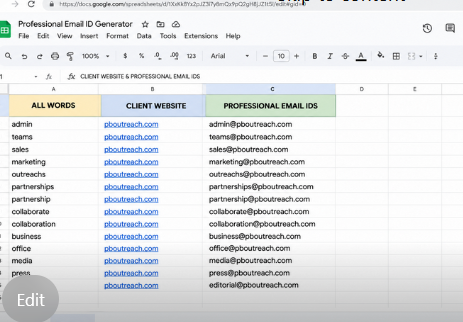
This Excel sheet contains three simple columns:
Column A
This column includes a comprehensive list of keywords commonly used before the @ symbol in professional business email addresses. We have built this list through years of research and real-world experience.
Column B
Enter only the client's website domain in this column. Do not include https:// or www.
Example:example.com
Column C
As soon as you enter the domain in Column B, Excel automatically combines the keywords from Column A with the domain to generate professional email IDs.
Example Output:
- admin@pboutreach.com
- sales@pboutreach.com
- support@pboutreach.com
- contact@pboutreach.com
- outreach@pboutreach.com
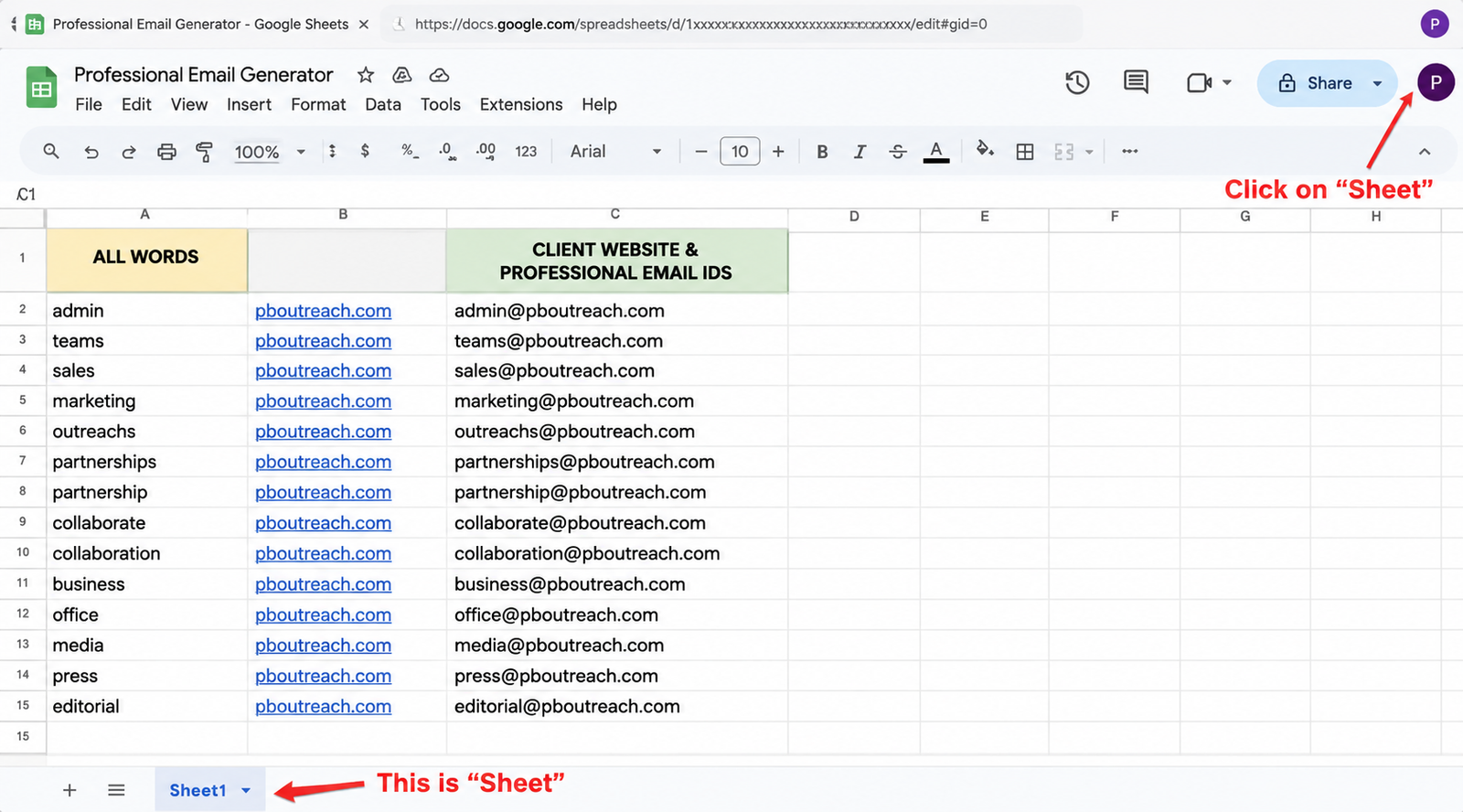
Using this method, you can generate hundreds of professional email ID combinations in just a few seconds instead of creating them manually. This saves valuable time, speeds up your outreach process, and makes client hunting much more efficient.
How to Identify Which Generated Email Address Is Actually Active?
After generating professional email IDs, the next step is to identify which ones are active before starting your outreach. Here are two simple methods:
Method 1: Check Using Gmail
- Copy your complete list of generated email addresses.
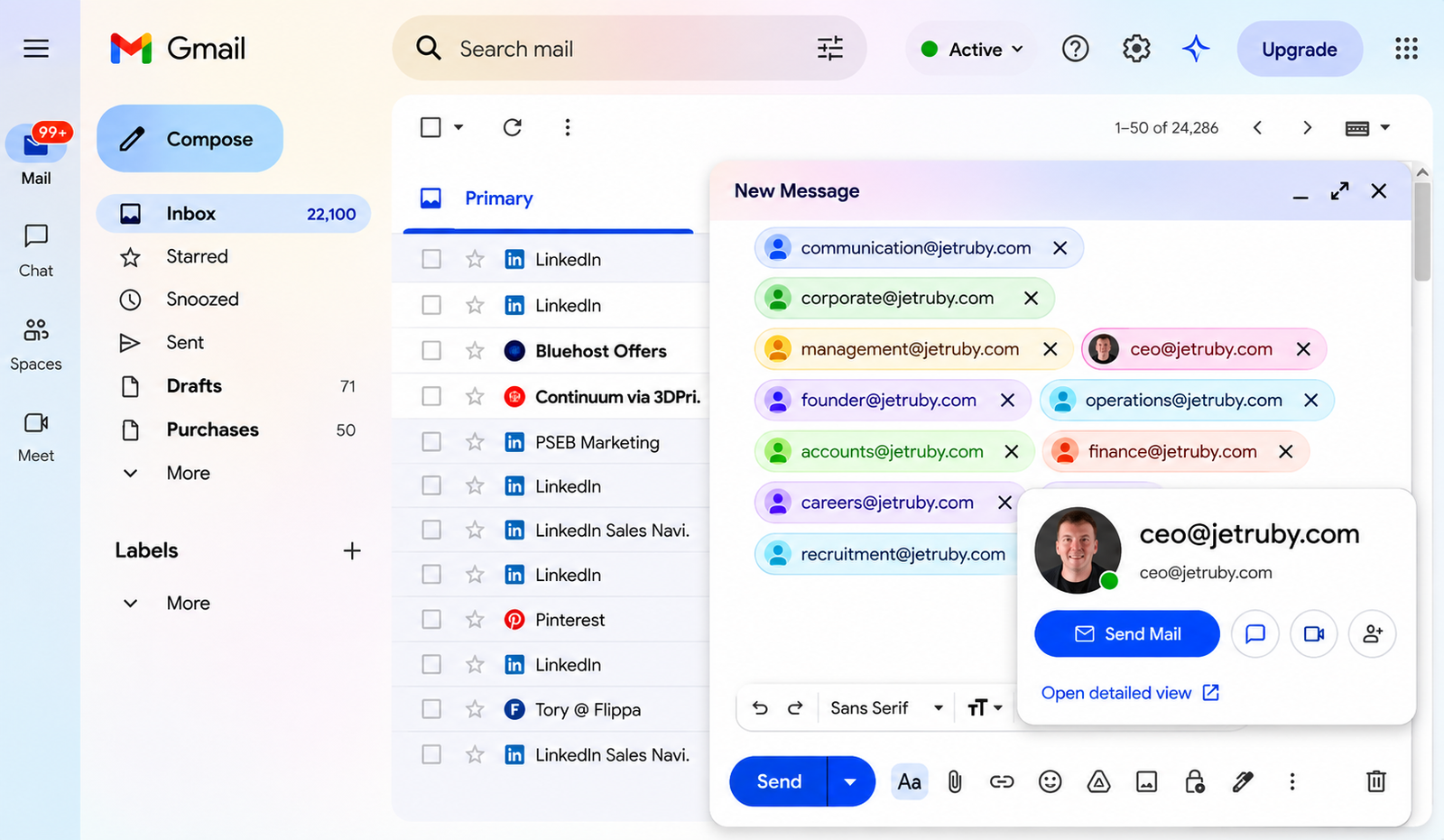
- Open Gmail and click Compose.
- Paste all the email addresses into the To field.
- Gmail will display a profile picture (DP/avatar) for many active Google accounts.
Tip:
Email addresses that show a profile picture are more likely to be active. Addresses with no profile picture may be inactive or may simply not have a Google profile, so use this as an initial filter rather than a final confirmation.
Method 2: Check Using Google Sheets
- Open Google Sheets.
- Click Share.
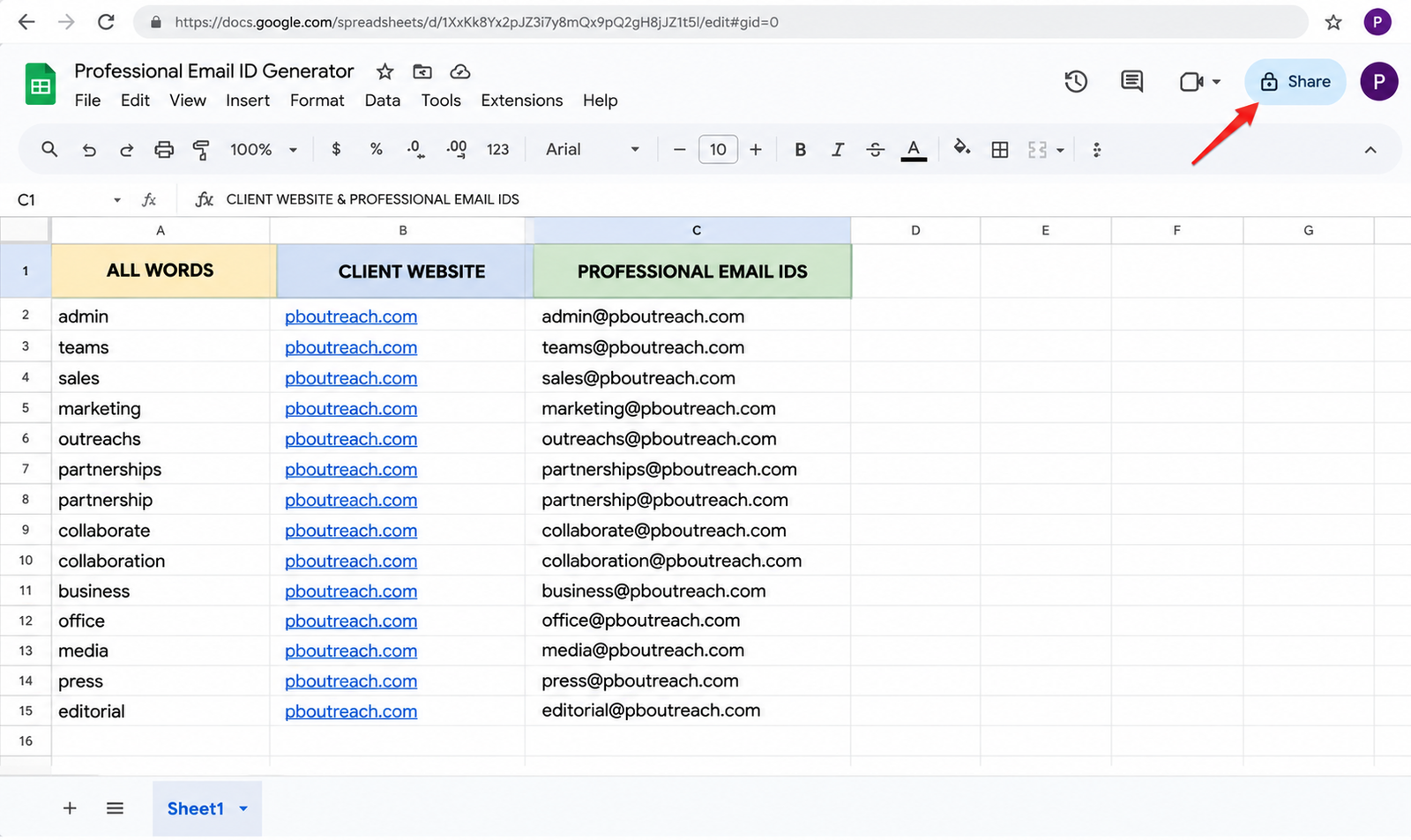
- Paste all the generated email addresses into the sharing field.
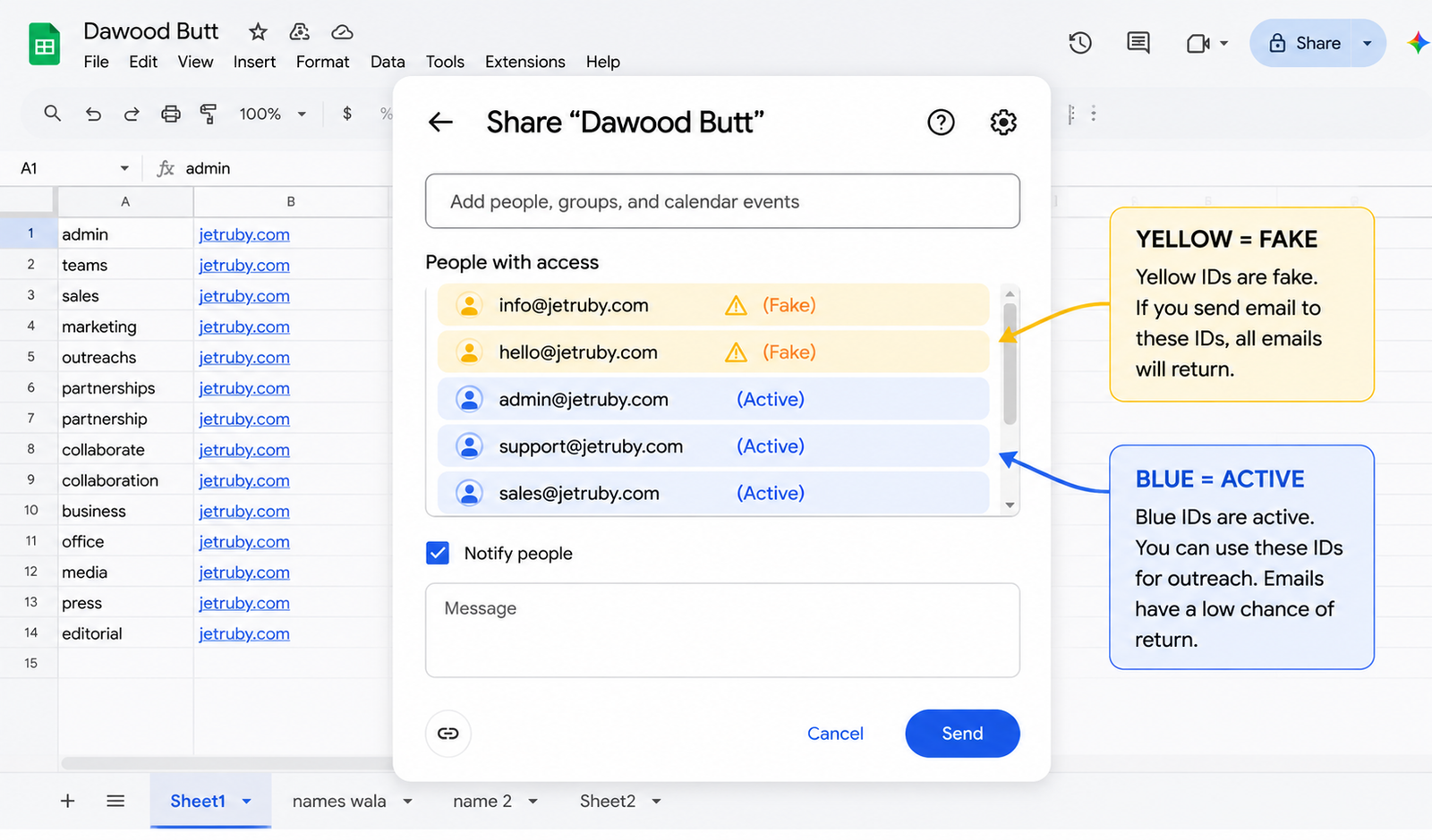
- Email addresses highlighted in yellow are typically invalid or cannot be shared with.
- Email addresses shown in blue are generally usable. You can safely use around 50–70% of these for outreach, and they have a much lower chance of bouncing back compared to the yellow ones.
Tip:
Remove the yellow email addresses from your list before sending outreach emails. This helps reduce bounce rates and improves your overall email deliverability.
Excel Sheet Formulas
https://docs.google.com/spreadsheets/d/1tQXz7BOjFUxREeISTIS4UK2Ml_zmoGT8IZpcdrpzvu8/edit?usp=sharing
In this guide, you'll learn a step-by-step method to generate professional business email IDs, understand why email bounces happen, and discover how to improve your outreach success by focusing on active email addresses.
Watch Full Video For "How to use excel Formula"

Follow us to learn more about SEO and Guest Posting!
Muhammad Amjad Butt

📺 YouTube: Pak SEO Training
🎵 TikTok: Pak SEO Training
📸 Instagram: Pak SEO Training
Leave a Reply