
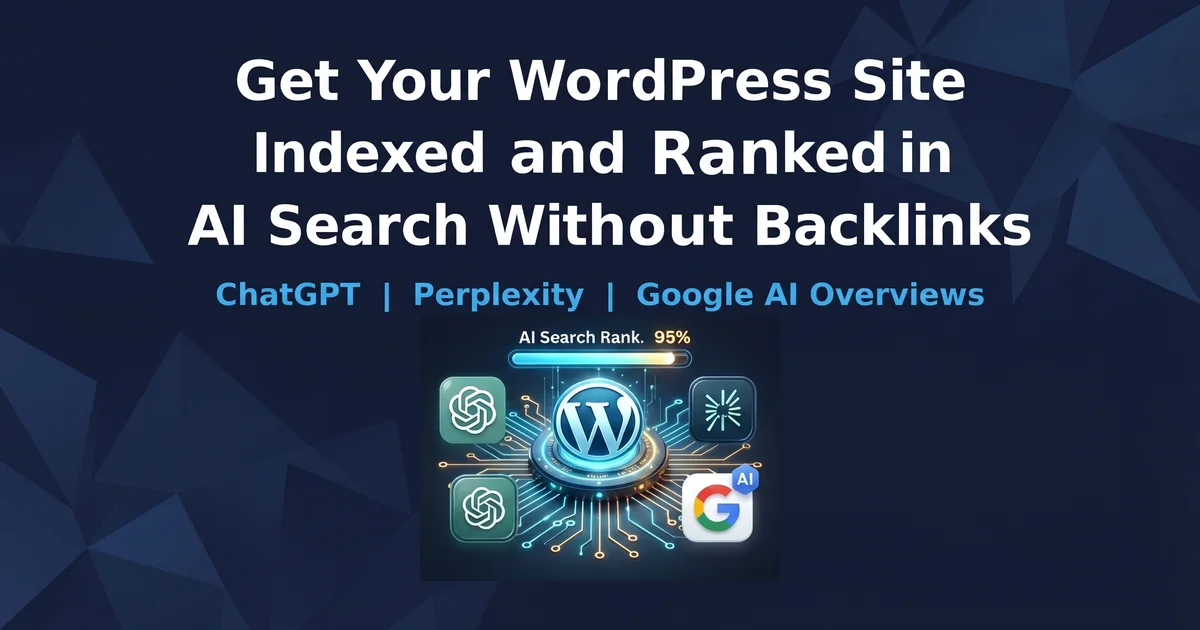
To get your WordPress site indexed and ranked in AI search without backlinks, make sure AI search crawlers can reach your pages, submit every URL to Bing through IndexNow (ChatGPT Search relies heavily on Bing's index), and write answer-first sections that AI can quote on their own. Add schema, an llms.txt file and clear author signals, then track your citations every month. Most sites see crawler activity within days and first citations within 4 to 12 weeks.
In this article
- Why AI Search Indexing Is Different From Google Indexing
- How Does ChatGPT Find and Index a WordPress Site?
- Is Your WordPress Site Blocking AI Crawlers?
- How to Get Indexed in ChatGPT Search Through Bing and IndexNow
- Why AI Cannot Read Some WordPress Pages
- How to Rank in AI Search Without Big Backlinks
- Which Schema Helps WordPress Rank in AI Answers?
- Should You Add llms.txt to WordPress?
- Speed and Freshness Signals That AI Crawlers Reward
- Tracking Whether You Are Actually Showing Up
- FAQ
- Start Your AI Search Indexing Plan Now
WordPress AI search indexing is the new step most site owners skip. Your blog can rank on page one of Google and still never appear in a ChatGPT, Perplexity or Gemini answer. The good news is that AI search does not reward backlinks the way classic Google SEO does. It rewards pages that are easy to reach, easy to read and easy to quote. That means a small WordPress site with zero big backlinks can beat a large brand inside an AI answer, if the technical and content basics are done right.
This guide shows you exactly how to get your WordPress site indexed and ranked in AI search, step by step, with the settings, plugins and numbers that matter in 2026.
Why AI Search Indexing Is Different From Google Indexing
Google indexing means your page is stored in Google's database and can appear as a blue link. AI search indexing means an AI system has fetched your page, split it into small passages and can pull one of those passages into a generated answer.
The difference changes what you optimize:
- Google ranks pages. Backlinks, authority and on-page signals decide which page wins position one.
- AI search ranks passages. A single section of 100 to 300 words is judged on its own. If it answers the question clearly, it can be cited, even from a new site.
- Clicks are not the only goal. Being named as the source inside the answer builds brand trust, even when the reader does not click.
Indexed is not the same as cited. In 2026 you need both.
The scale of this shift is real. ChatGPT has crossed 800 million weekly active users, and Google AI Overviews now appear on roughly a third of US English desktop queries. Industry reports also show AI search volume growing around 51 percent year over year. Ignoring AI search now means giving that traffic to competitors.
How Does ChatGPT Find and Index a WordPress Site?
AI tools do not all crawl the web the same way. Understanding the path from your WordPress post to an AI answer tells you which fixes actually matter.
- Fetch: A crawler such as OAI-SearchBot or PerplexityBot requests your URL. If your firewall or CDN blocks it, the process stops here.
- Read: The crawler reads the raw HTML. Most AI crawlers do not run JavaScript, so content loaded by scripts is often invisible.
- Extract: Menus, sidebars, footers and cookie banners are removed. Only the main content stays.
- Chunk: The main content is split into passages, usually along your H2 and H3 headings.
- Index: Passages are stored for keyword and meaning-based matching. ChatGPT Search leans heavily on Bing's index, while Google AI Overviews use Google's own index.
- Cite: When someone asks a question, the system pulls the best matching passage and may show your site as the source.
Key insight: Because ChatGPT Search relies on Bing, a WordPress site that is not in Bing's index is very unlikely to appear in ChatGPT answers. Many site owners only check Google Search Console and never notice this gap.
Is Your WordPress Site Blocking AI Crawlers?
This is the first and most common failure. Many sites block AI crawlers by accident, either through an old robots.txt rule or through a security plugin, firewall or CDN setting.
Which AI crawlers should you allow?
AI companies use separate crawlers for search and for model training. You can allow search crawlers for visibility and still block training crawlers if you prefer.
Crawler
Used for
Allow for AI visibility?
OAI-SearchBot
ChatGPT Search results
Yes
ChatGPT-User
Fetching a page when a user asks
Yes
PerplexityBot
Perplexity search index
Yes
Claude-SearchBot
Claude search
Yes
Bingbot
Bing index (feeds ChatGPT and Copilot)
Always
GPTBot / ClaudeBot
Model training
Your choice
Google-Extended
Gemini training control only
Your choice (does not affect AI Overviews)
OpenAI explains in its official crawler documentation that OAI-SearchBot and GPTBot are controlled separately, so blocking training does not remove you from ChatGPT Search.
How to fix robots.txt in WordPress
Open yoursite.com/robots.txt in your browser. If you see Disallow: / under any AI search crawler, remove it. A safe setup for AI visibility looks like this:
User-agent: OAI-SearchBot
Allow: /

User-agent: ChatGPT-User
Allow: /

User-agent: PerplexityBot
Allow: /

User-agent: Claude-SearchBot
Allow: /

User-agent: Bingbot
Allow: /

Sitemap: https://yoursite.com/sitemap_index.xml
You can edit this file from Rank Math, Yoast SEO or a similar SEO plugin without FTP access.
Check your WordPress settings too
- Go to Settings > Reading and make sure "Discourage search engines from indexing this site" is unchecked.
- Check your security plugin and Cloudflare bot settings. Some CDNs block AI crawlers by default on new domains, even when robots.txt allows them.
- If your host offers server logs, search them for "OAI-SearchBot" or "PerplexityBot" and look for 403 or 429 errors.
A perfect robots.txt means nothing if your firewall returns a 403.
How to Get Indexed in ChatGPT Search Through Bing and IndexNow
This is the fastest win for most WordPress sites, and most competitor guides barely mention it.
Step 1: Add your site to Bing Webmaster Tools
Create a free account at Bing Webmaster Tools. You can import your site directly from Google Search Console in about 2 minutes. Then submit your XML sitemap.
Step 2: Turn on IndexNow
IndexNow is a protocol that tells search engines the moment you publish, update or delete a page. According to IndexNow.org, it is supported by Microsoft Bing, Yandex, Naver, Seznam and Yep, and a URL sent to one engine is shared with the others. Google does not support IndexNow.
In WordPress you can enable it in three ways:
- Rank Math: enable the Instant Indexing module.
- Microsoft's official IndexNow plugin: install and activate, no API key needed.
- CrawlWP SEO (formerly Index Now plugin): submits to Bing, Yandex and others through IndexNow and connects to Google's Indexing API for Google.
Plugin developers report that pages submitted this way are often indexed within 24 hours, compared to waiting days or weeks for a normal crawl.
Step 3: Confirm your pages are in Bing
Search site:yoursite.com on Bing. If important posts are missing, use the URL Submission tool inside Bing Webmaster Tools.
Quick win this week: Import your site into Bing Webmaster Tools, submit your sitemap and switch on IndexNow. It takes under 15 minutes and is the single biggest step toward appearing in ChatGPT Search.
Why AI Cannot Read Some WordPress Pages
Industry testing suggests that around 69 percent of AI crawlers cannot render JavaScript. Google's Gemini is an exception because it uses Googlebot's rendering system, but ChatGPT, Claude and Perplexity crawlers mostly read raw HTML only.
Common WordPress problems:
- Page builder widgets that load text with JavaScript.
- FAQ or review blocks built with React that load on click.
- Accordions that fetch content only when opened (accordions that hide content with CSS are fine).
- Infinite scroll archives.
How to test: Open your post, right-click and choose "View Page Source." Press Ctrl+F and search for a unique sentence from your article. If you cannot find it in the source, AI crawlers cannot find it either. Fix this by using standard Gutenberg blocks for key content or by enabling server-side rendering in your builder.
How to Rank in AI Search Without Big Backlinks
This is where small WordPress sites can win. AI systems pick passages based on how clearly they answer the question, not mainly on domain authority. An Ahrefs study of over 170,000 pages cited by AI found that more than half had fewer than 1,000 words. Clarity beats length and links.
Write answer-first sections
Put the direct answer in the first 2 to 3 sentences under every heading, then explain. AI tools give heavy weight to the start of each section.
Use headings people actually type
"Pricing" is a weak heading. "How much does WordPress hosting cost in 2026?" is a strong one, because it matches the prompt someone types into ChatGPT.
Make every section stand alone
AI reads one chunk at a time. Remove phrases like "as mentioned above" or "this method." Repeat the subject name instead. Keep paragraphs between 50 and 150 words.
Add numbers, dates and lists
A sentence like "IndexNow usually gets pages indexed in Bing within 24 hours" is far more quotable than "IndexNow is fast." Put comparisons and specifications in tables.
Build brand mentions instead of backlinks
AI models learn what your brand is from the whole web. Unlinked brand mentions matter here. Practical ways to earn them:
- Answer real questions on Reddit, Quora and Facebook groups in your niche.
- Complete profiles on business directories and review sites.
- Appear on podcasts and YouTube videos in your industry.
- Keep your brand name, description and links identical everywhere.
Build topic clusters with internal links
One pillar page plus 6 to 10 supporting posts, all linked with descriptive anchor text, shows AI that your site has depth on a subject. This internal structure works without a single external backlink.
AI does not ask who links to you. It asks who explains it best.
Which Schema Helps WordPress Rank in AI Answers?
Schema markup is JSON-LD code that tells search engines exactly what your page is and who wrote it. Google and Bing have both confirmed they use structured data, and since AI Overviews and ChatGPT Search draw on those indexes, schema helps indirectly.
Add these types in this order:
- Organization on your homepage, with links to your social profiles.
- Article or BlogPosting on every post, with author, published date and modified date.
- Person for each author, linked to LinkedIn or other profiles.
- FAQPage where you have a real FAQ section.
- HowTo for step-by-step guides.
- BreadcrumbList for site structure.
Rank Math and Yoast SEO can add most of these without code. Test every important page with the Google Rich Results Test.
Should You Add llms.txt to WordPress?
An llms.txt file is a simple Markdown file at yoursite.com/llms.txt that lists your most important pages with short descriptions. Think of it as a table of contents for AI crawlers.
Be realistic about it. Server logs show that GPTBot, ClaudeBot and PerplexityBot do request the file, but no major AI company has officially confirmed using it as a ranking input. It is cheap, harmless and forward-looking, so it is worth adding.
A simple example:
# Your Site Name

> One-line description of what your site covers and who it helps.

## Main Guides
- [WordPress SEO Guide](https://yoursite.com/wordpress-seo/): Complete setup for beginners
- [AI Search Optimization](https://yoursite.com/ai-search/): How to get cited by ChatGPT

## Services
- [Link Building Services](https://yoursite.com/link-building/): Packages and pricing
Keep it curated. A hand-picked list of 20 to 40 key pages is better than a dump of every URL. Several WordPress SEO plugins, including CrawlWP and some newer GEO plugins, can generate this file automatically.
Speed and Freshness Signals That AI Crawlers Reward
Keep your server fast
AI crawlers have a tight time budget. Aim for a Time to First Byte (TTFB) under 400 milliseconds. Google's Core Web Vitals targets also apply:
- LCP (main content load): under 2.5 seconds
- INP (response to clicks): under 200 milliseconds
- CLS (layout stability): under 0.1
Use a caching plugin such as LiteSpeed Cache or WP Rocket, compress images under 100 KB, and remove unused plugins.
Update content honestly
Freshness is a strong signal, especially for Perplexity. Update your key posts every 3 to 6 months with new facts, then change the modified date. Do not change the date without changing the content, because that is easy for systems to detect. Show the "last updated" date in visible text, not only in schema.
Clean your sitemap
Your XML sitemap should contain no redirects, no 404 pages and no noindex pages. Set thin tag archives to noindex so crawlers spend their time on real content.
Tracking Whether You Are Actually Showing Up
Google Search Console alone will not show your AI visibility. Use these four checks:
- AI referral traffic in GA4: Look for visits from chatgpt.com, perplexity.ai, gemini.google.com and copilot.microsoft.com. ChatGPT has added utm_source=chatgpt.com to its referral links since June 2025.
- Manual prompt testing: Pick 10 to 20 questions your articles answer. Once a month, ask them in ChatGPT, Perplexity and Gemini, and record whether your site is cited.
- Crawler logs: Check your hosting logs for visits from OAI-SearchBot, PerplexityBot and Bingbot, and look for error codes.
- Bing Webmaster Tools: Review indexed pages and crawl errors every week.
Remember that each AI engine has its own source preferences. One large citation study found that only 11 percent of domains are cited by both ChatGPT and Perplexity, so test each platform separately.
You can also run your article through our free AI Answer Readiness Checker to see whether your sections are structured for AI citation.
FAQ
How long does it take to get indexed in ChatGPT Search?
If your site is in Bing and IndexNow is active, new pages can be indexed within 24 to 48 hours. Appearing as a cited source usually takes 4 to 12 weeks, depending on content quality and competition.
Can a new WordPress site rank in AI search without backlinks?
Yes. AI systems judge individual passages, so a clear, well-structured answer on a new site can be cited ahead of a larger site with a weak answer. Brand mentions and internal topic clusters help more than backlinks here.
Does blocking GPTBot remove my site from ChatGPT?
No. GPTBot is used for training. OAI-SearchBot controls ChatGPT Search visibility. You can block GPTBot and still appear in ChatGPT Search answers.
Do I need a special plugin for AI search?
Not necessarily. Rank Math or Yoast for schema, an IndexNow plugin for fast indexing and a caching plugin for speed cover most needs. Dedicated GEO plugins mainly add llms.txt and crawler logs.
Is Google Search Console enough to track AI visibility?
No. Search Console shows some AI Mode data, but it does not show citations in ChatGPT, Perplexity or Claude. Use GA4 referrals and monthly manual prompt testing as well.
Start Your AI Search Indexing Plan Now
Getting your WordPress site indexed and ranked in AI search is mostly a checklist, not a mystery. Follow these steps in order:
- Uncheck "Discourage search engines" in Settings > Reading.
- Allow OAI-SearchBot, ChatGPT-User, PerplexityBot, Claude-SearchBot and Bingbot in robots.txt.
- Check your firewall, security plugin and CDN for hidden AI crawler blocks.
- Add your site to Bing Webmaster Tools and submit your sitemap.
- Turn on IndexNow through Rank Math or a dedicated plugin.
- Use View Page Source to confirm your main content is in plain HTML.
- Rewrite your top 10 posts with answer-first sections and question headings.
- Add Article, Organization, Person and FAQPage schema.
- Publish a curated llms.txt file.
- Bring TTFB under 400 ms and pass Core Web Vitals.
- Build one topic cluster with 6 to 10 internally linked posts.
- Test 10 to 20 prompts in ChatGPT, Perplexity and Gemini every month.
Need help building authority faster? See our link building services, ask a question on our free SEO question page, or list your site in our free website directory to earn an extra brand mention.
The sites that get cited in 2026 are not the ones with the most links. They are the ones AI can reach, read and quote. Start this week.
Leave a Reply